Add a new team member.
You can easily add new team members directly from your AppointmentGuru settings
You can easily add new team members directly from your AppointmentGuru settings:
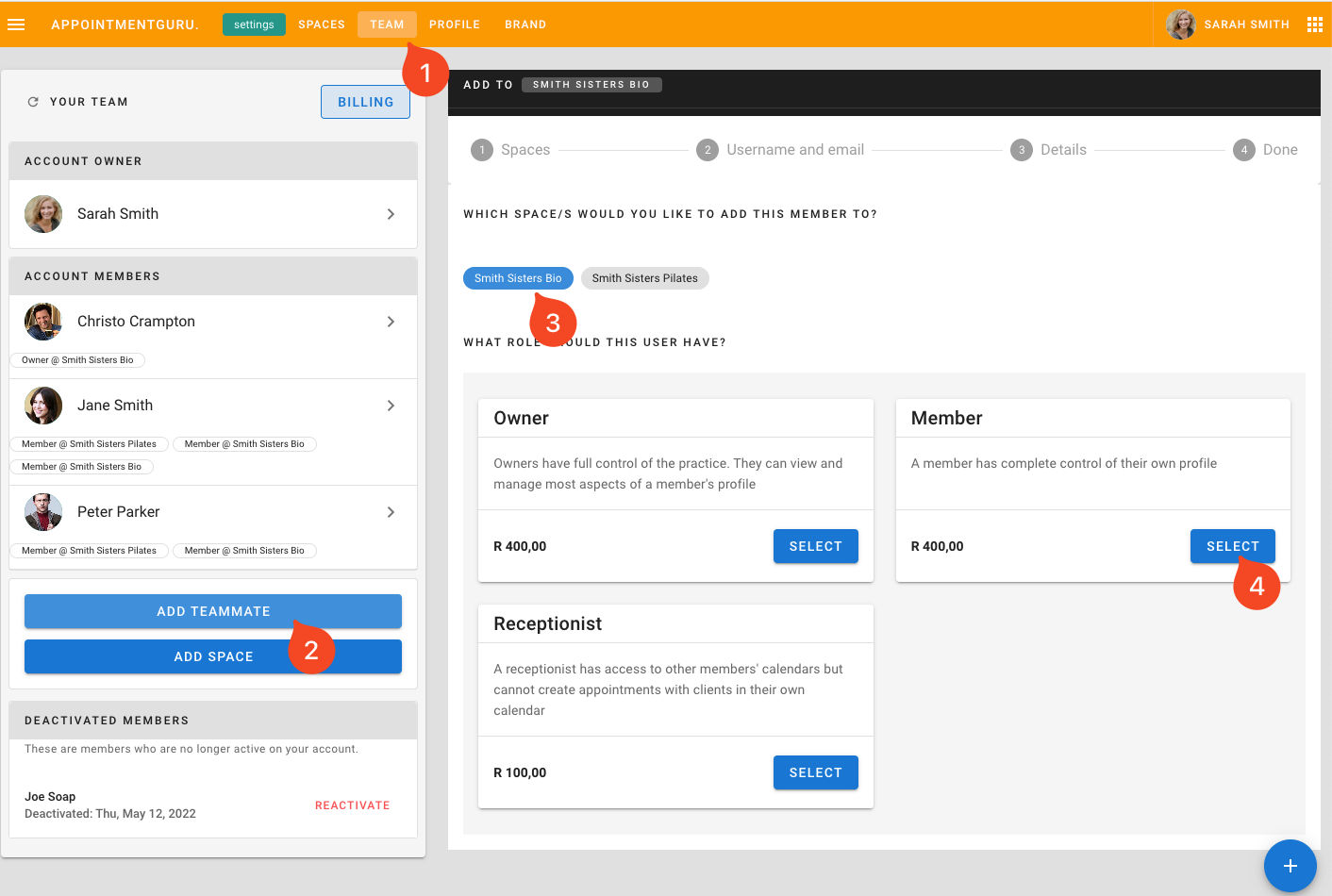
- Log into your advanced settings at https://settings.appointmentguru.co/.
- In the top navigation, click on "Teams".
- Click the "New Teammate" button (or "add teammate" button).
- Choose the "Space" (your practice) you would like to add them to.
- Select their "Role" (e.g., owner, member, receptionist) and follow the prompts.




 Courses
 Topics
 FAQ
FAQ