Share a form with a client
When sharing a JotForm with a client, it is important to share it from AppointmentGuru so that it can successfully be linked to their profile.
To share a form:
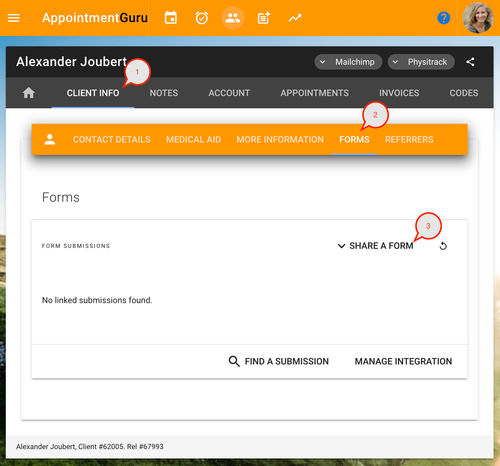
- From the client detail page, click Client info > Forms.
- Click Share a form.
Result
This will load the standard AppointmentGuru share dialog with a link and QR code, which you can use to share with your client. The link will include the necessary details to connect the client's form submission with their profile in AppointmentGuru.




 Courses
 Topics
 FAQ
FAQ