Add a WhatsApp button to your booking form
Add a WhatsApp button to your online booking form so that your clients can get in touch with you if they have any questions or perhaps can't find a booking slot.
To add a WhatsApp button to your booking form
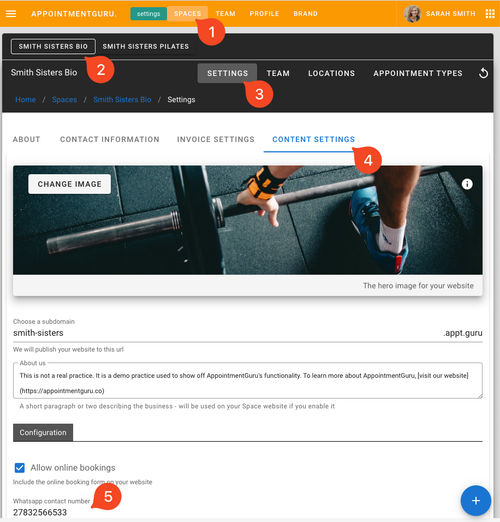
- From Advanced settings > Spaces and choose the related Space.
- Go to Settings > Content settings.
- Scroll down to configuration and enter a WhatsApp number (include the country code, but exclude the +).




 Courses
 Topics
 FAQ
FAQ